Architecture
Pigsty consists of several modules that can be combined according to different scenarios.
Module
Pigsty currently offers four modules.
INFRAis Pigsty’s infrastructure module, including monitoring/alerting/visualization/logging/DNS/NTP components.NODESis the node management module for configuring nodes, installing software, and collecting metrics and logs.PGSQLis a PostgreSQL deployment management module, including various PG cluster deployments and monitoring.REDISis the Redis deployment management module, including Redis standalone/native cluster/sentinel deployment and monitoring.
Usage
You can choose which modules to enable on which nodes based on different requirements.
Pigsty will perform a singleton installation by default, initializing the node as a meta node with INFRA, NODES, & PGSQL.
You can join other nodes and install different databases.
Singleton Deploy
If you want to use Pigsty as a battery-included singleton PostgreSQL distribution, install the INFRA, NODES, & PGSQL modules sequentially on a node.
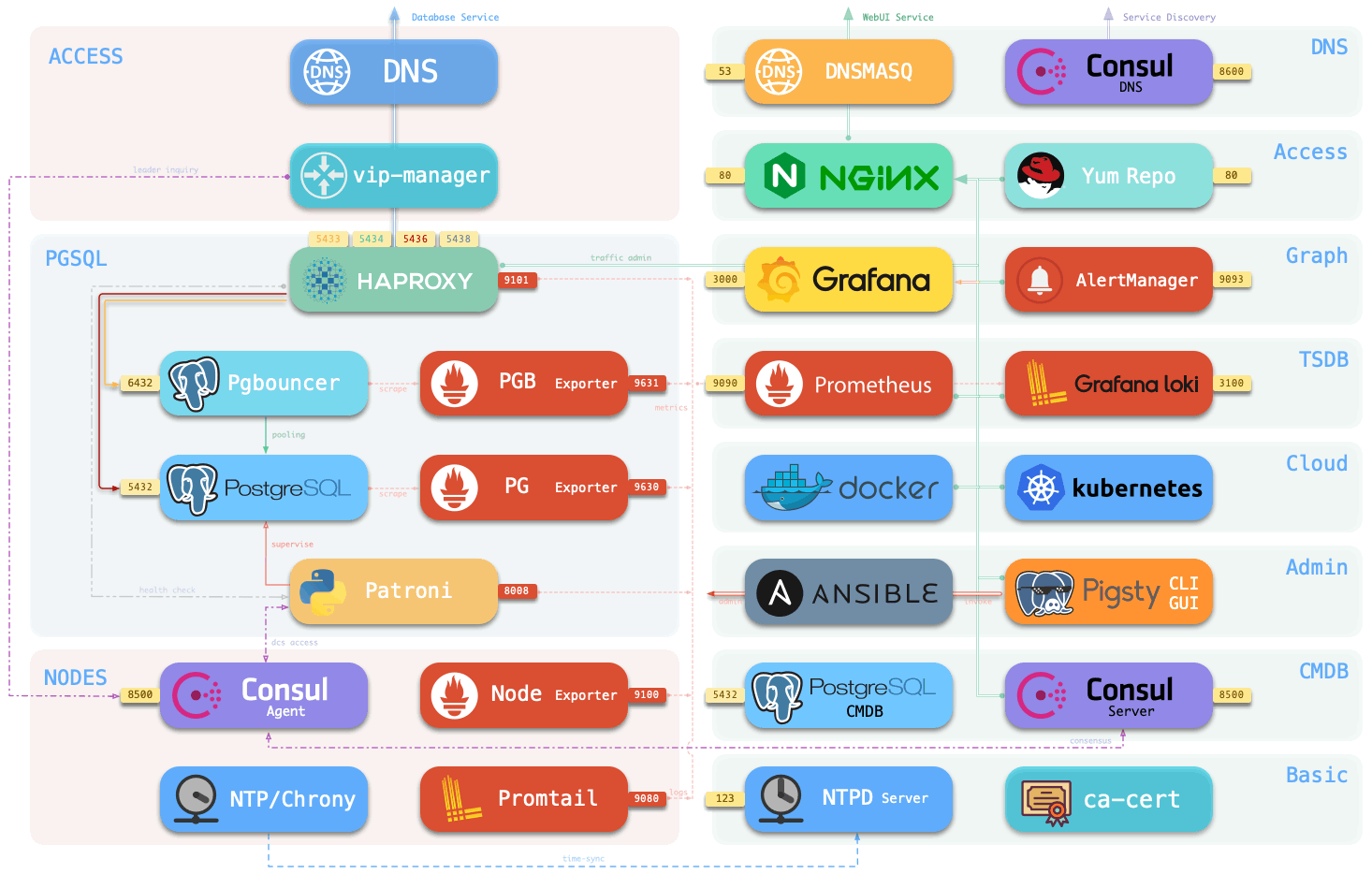
Execute infra.yml playbook to install Pigsty on a singleton meta, deploy infrastructure on the node, and pull up a singleton PostgreSQL database cluster. The node with Pigsty fully installed is called a meta node.
Pigsty is capable of more than that. It can monitor and manage more nodes and databases.
Host Monitoring
If you want to create a large-scale Host Monitoring System, just install the INFRA module on one node and the NODES module on all the monitored nodes. All nodes will be configured with software sources, software packages, DNS, NTP, node monitoring, log collection, and DCS Agent components. Nodes that are included in Pigsty management will come with detailed metrics and can be deployed with various database modules.
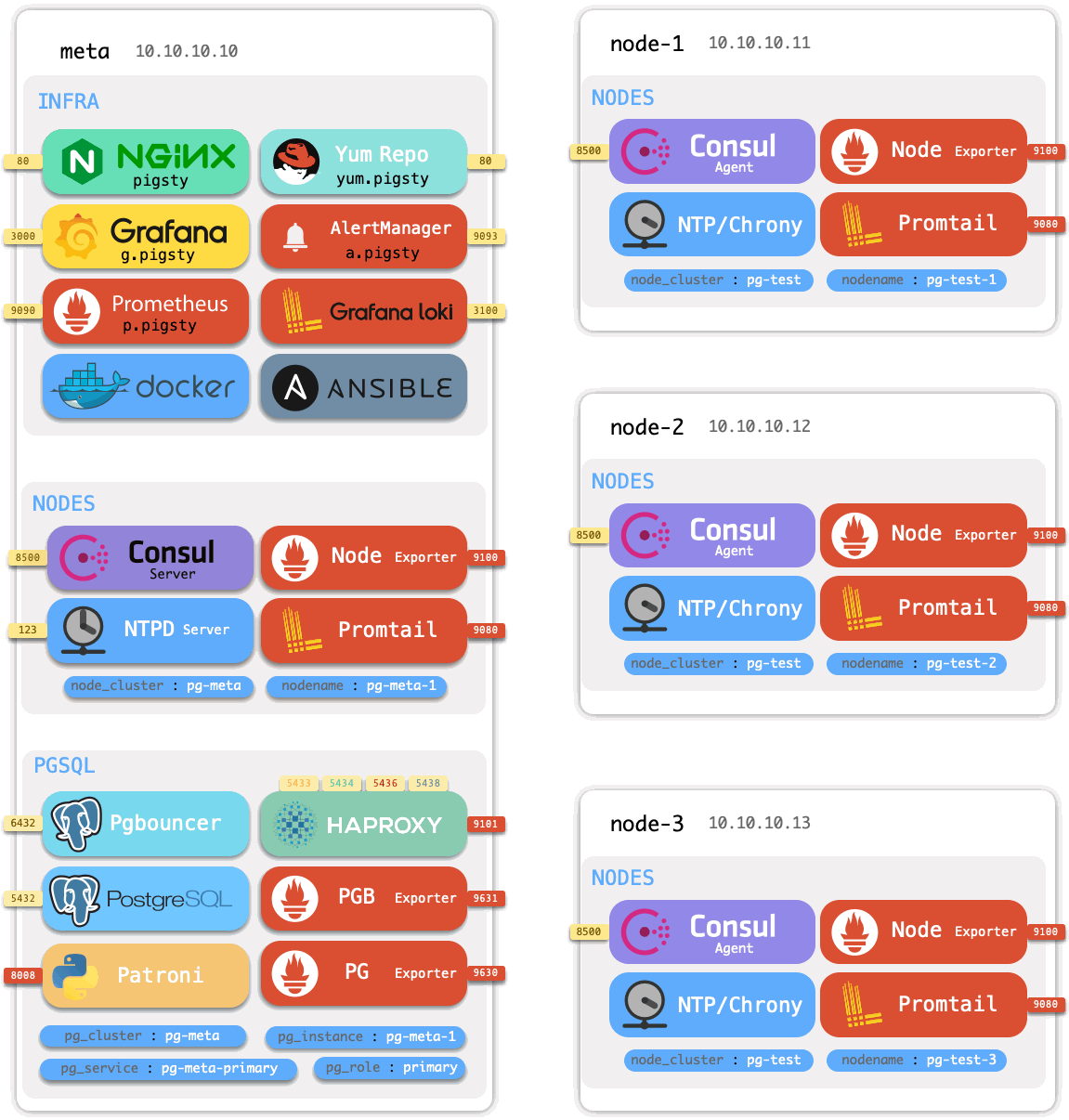
Use nodes.yml playbook to install the NODES module on meta nodes for more nodes to be included in Pigsty management.
Database Cluster
After incorporating the nodes into Pigsty, these nodes can be further deployed with various database clusters.
If you want to manage many PostgreSQL clusters, install the PGSQL module again on those nodes included in Pigsty management. You can deploy various PGSQL clusters with one click: singleton, one primary & n replica HA cluster, sync standby cluster, quorum commit cluster, offline replica, standby cluster, delayed replica cluster, Citus cluster, TimescaleDB cluster, MatrixDB data warehouse.
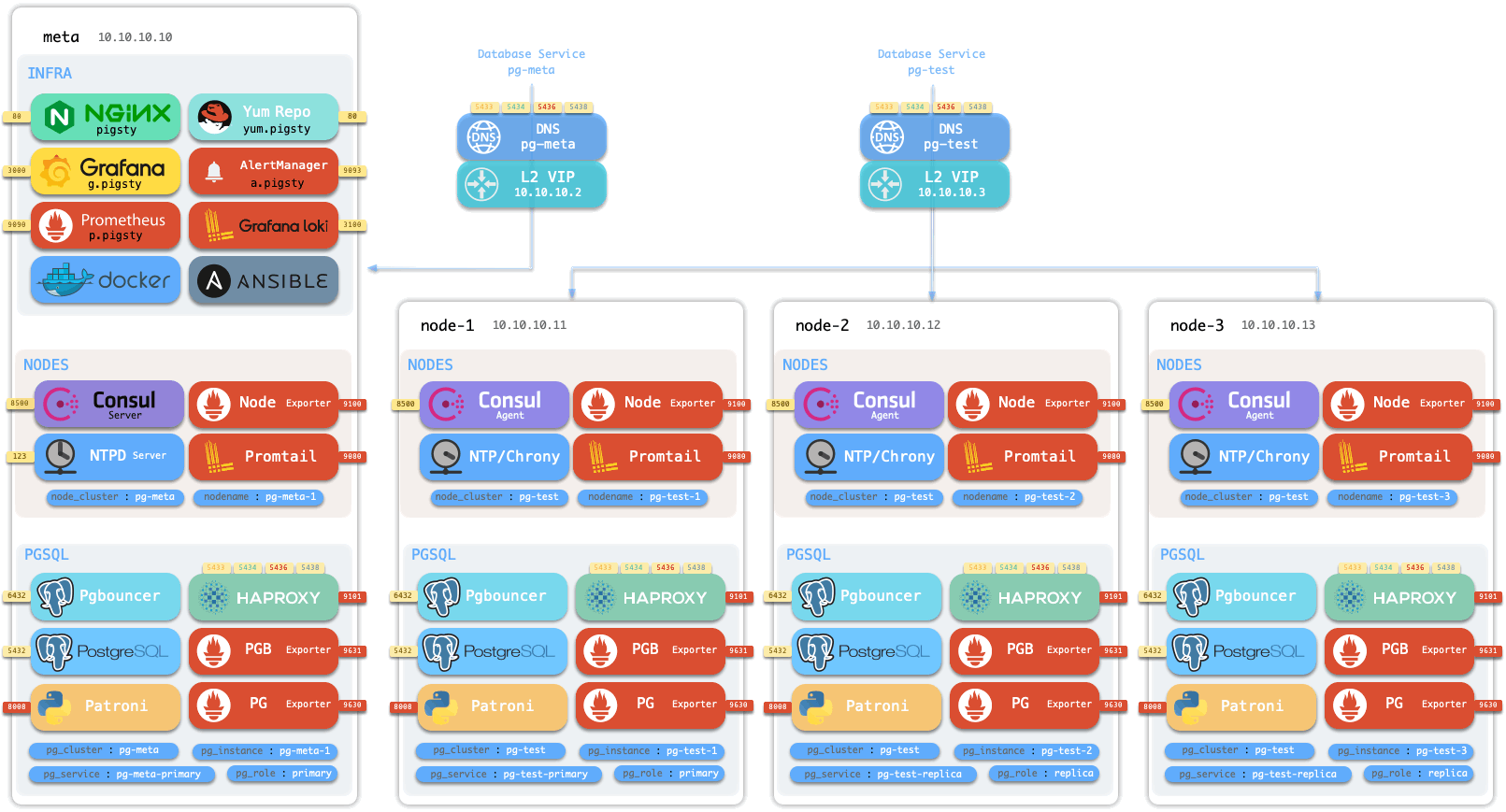
If you want to manage many Redis clusters, install the REDIS module on the included nodes in Pigsty management.
Use pgsql.yml to create a HA PostgreSQL cluster, redis.yml to develop standalone, native, sentinel Redis clusters, and pgsql-matrixdb.yml to deploy the Greenplum/MatrixDB data warehouse.
Pigsty will subsequently add new types of database modules on demand: KAFKA, MINIO, MONGO, etc.
Model
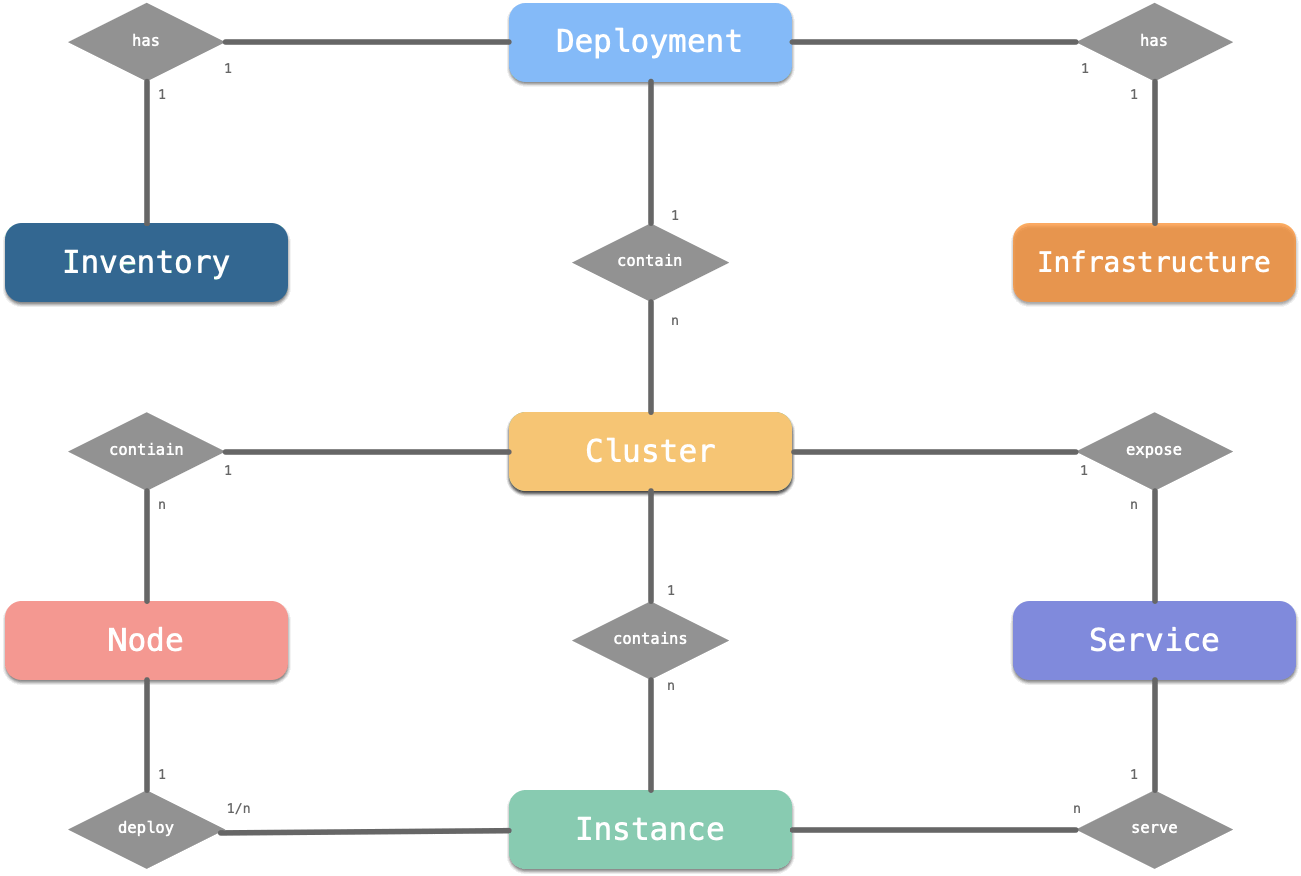
A complete Pigsty system can be called a Deployment or Environment.
For example, production environment, test environment, pre-distribution environment, etc.
A Pigsty deployment consists of two parts: an infra set & multiple clusters, both described by an Inventory.
- Infra: deployed on meta nodes, monitoring, DNS, NTP, DCS, Yum repos, etc.
- Database Cluster: autonomous (database) service unit deployed on nodes.
The cluster contains nodes, instances, and services three core resources: a cluster contains multiple instances deployed on multiple nodes, providing various services. Each database instance will have a more subdivided ER model.