Version v1.5.1 of the documentation is no longer actively maintained. The site that you are currently viewing is an archived snapshot. For up-to-date documentation, see the latest version.
Playbook: PGSQL
Pull up a defined cluster of HA PostgreSQL cluster using the PGSQL series playbook.
Overview
| Playbook | Function | Link |
|---|---|---|
pgsql |
Deploy a PostgreSQL cluster, or cluster expand | src |
pgsql-remove |
Destroy PostgreSQL cluster, or cluster downsize | src |
pgsql-createuser |
Create PostgreSQL business users | src |
pgsql-createdb |
Create a PostgreSQL Business Database | src |
pgsql-monly |
Monly mode, with access to existing PostgreSQL instances or RDS | src |
pgsql-migration |
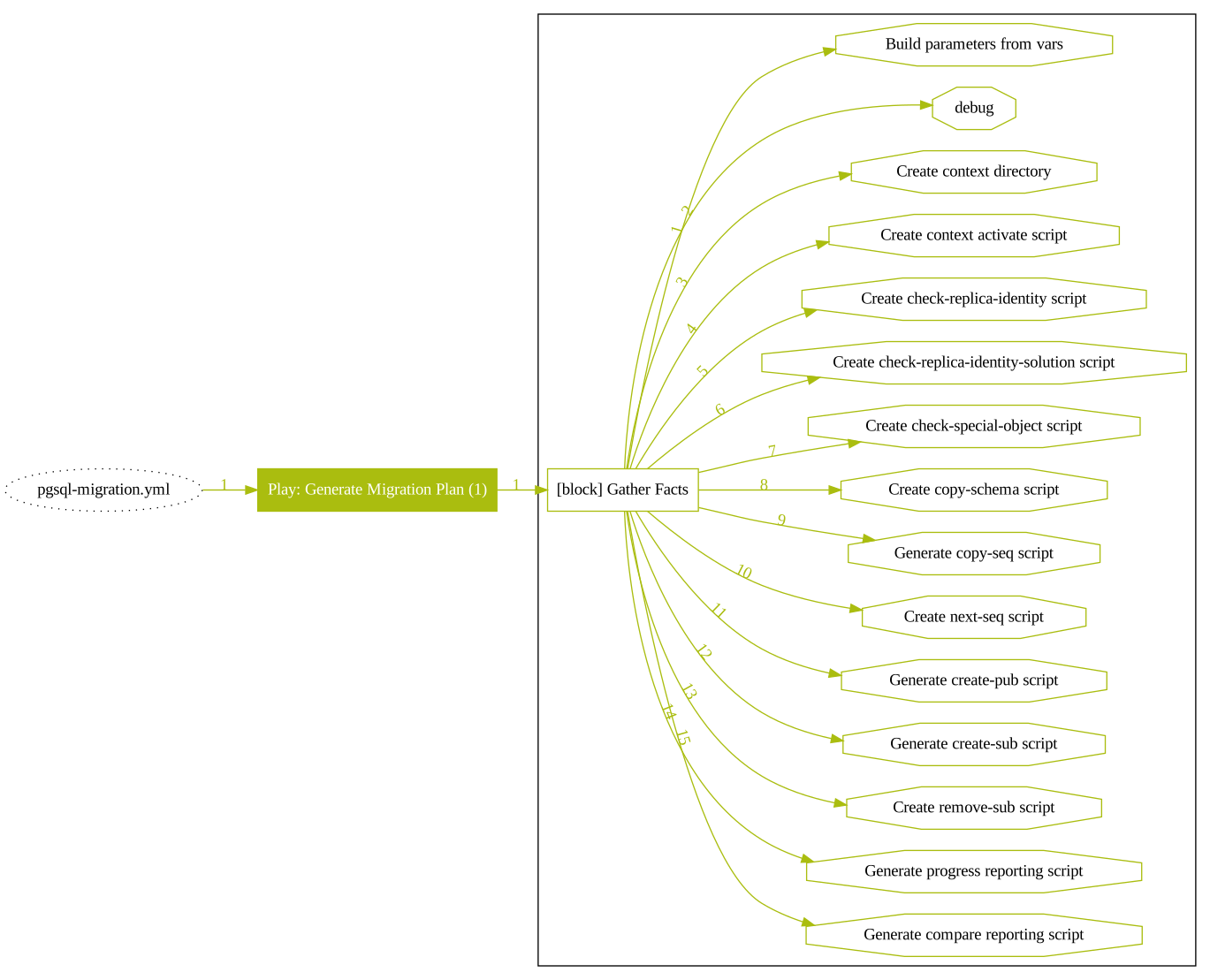
Generate PostgreSQL semi-automatic database migration solution (Beta) | src |
pgsql-matrixdb |
Reuse the PG to deploy a set of MatrixDB clusters (Beta) | src |
pgsql
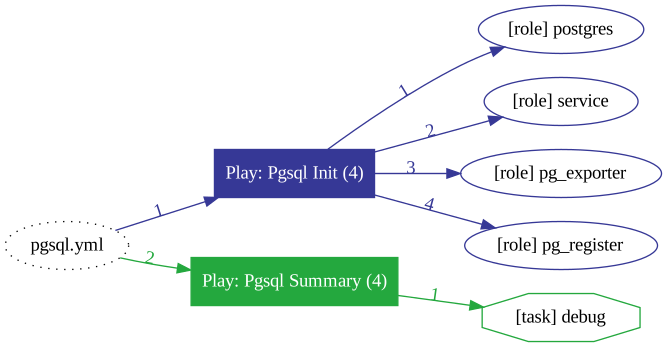
After completing the infra initialization, users can use pgsql.yml to complete the initialization of the database cluster.
Complete the cluster definition in the Pigsty configuration file and then apply the changes to the environment by executing pgsql.yml.
This playbook accomplishes the following.
- Install, deploy, and initialize PostgreSQL, Pgbouncer, Patroni (
postgres). - Install the PostgreSQL monitor (
monitor). - Install and deploy Haproxy and VIP, expose services (
service). - Register the database instance to the infra to be monitored (
register).
This playbook can be misused to accidentally delete the database, as initializing the database will erase the existing database.
The insurance param prevents accidental deletion by allowing automatic aborting or skipping of high-risk operations during initialization when an existing running instance is detected.
Nevertheless, when using pgsql.yml, double-check that -tags|-t and -limit|-l is correct.
Cautions
- It is strongly recommended to add the
-lparameter to the execution to limit the scope of the command execution. - When performing initialization for a replica, the user must ensure that the primary has completed initialization.
- If
Patronitakes too long to pull up a replica when a cluster is expanded, the Ansible playbook may abort due to a timeout. (However, making the replica will continue, for example, in scenarios where making the replica takes more than one day). - It is possible to perform subsequent steps from the
-Wait for patroni replica onlinetask via Ansible’s-start-at-taskafter the replica has been automatically crafted. Please refer to SOP for details.
SafeGuard
Pigsty provides a SafeGuard to avoid purging running PostgreSQL instances with fat fingers. There are two parameters.
pg_safeguard: Disabled by default, if enabled, running PostgreSQL will not be purged by any circumstance.pg_clean: the role fallback isfalse, while the bundled disposable v1.5.1 sandbox inventory sets it totrue; protected environments should disable it and enable the safeguard.
When running pg exists, pgsql.yml will act as:
pg_safeguard / pg_clean |
pg_clean=true |
pg_clean=false |
|---|---|---|
pg_safeguard=true |
ABORT | ABORT |
pg_safeguard=false |
PURGE | ABORT |
When running pg exists, pgsql-remove.yml will act as:
pg_safeguard / pg_clean |
pg_clean=true |
pg_clean=false |
|---|---|---|
pg_safeguard=true |
ABORT | ABORT |
pg_safeguard=false |
PURGE | PURGE |
Selective execution
An ansible’s tagging mechanism can select a subset of the execution playbook.
For example, if you want to perform only service initialization, you can use the following command.
The common subsets of commands are as follows.
Daily management tasks
Daily management can also be used ./pgsql.yml to modify the state of the cluster. The common command subsets are as follows.
pgsql-remove
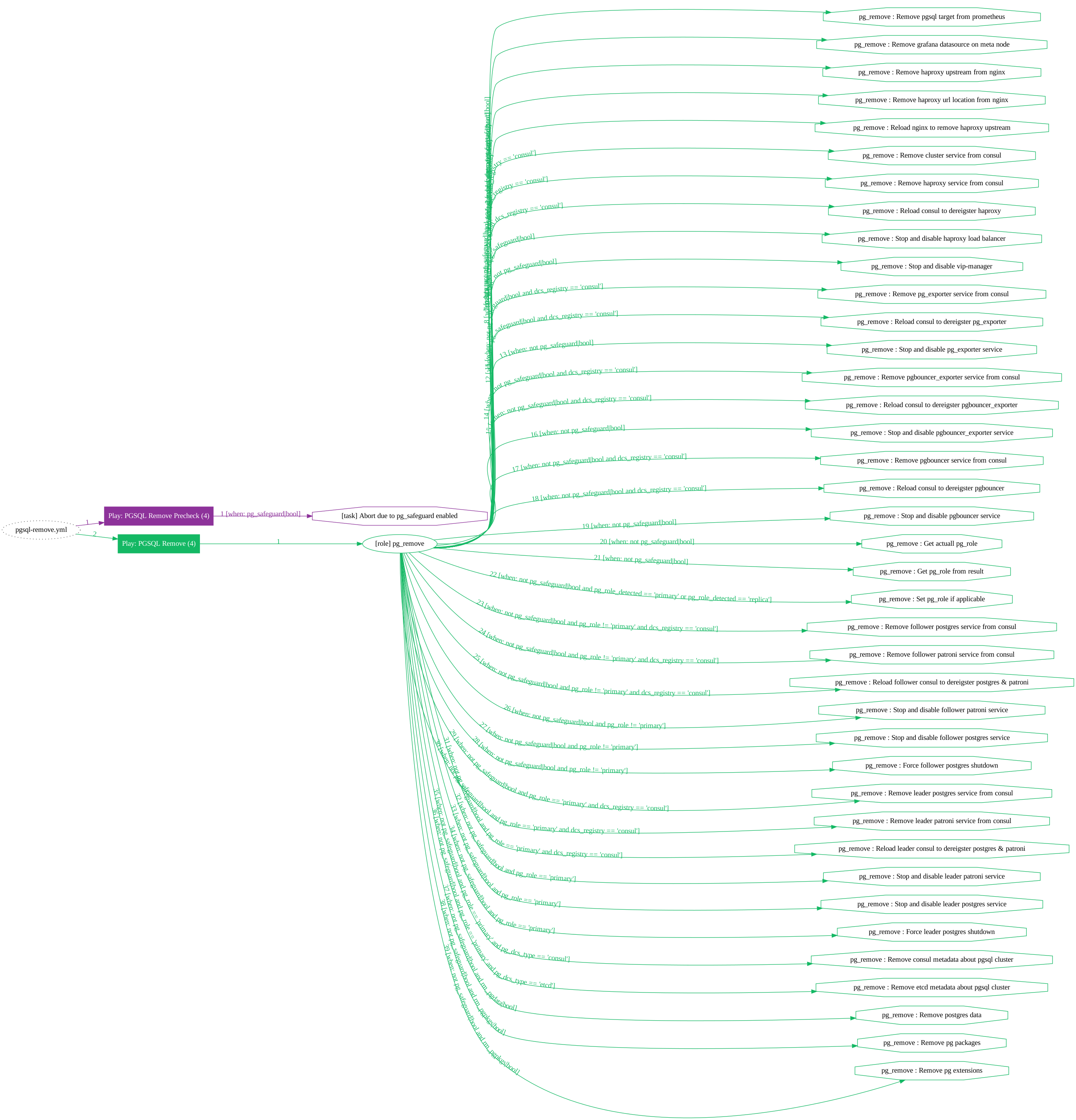
Database Destruction: Remove existing database cluster or instance, reclaim node: pgsql-remove.yml.
The pgsql-remove.yml is the reverse of pgsql.yml and will do the following :
- Unregister the database instance from the infra(
register) - Stop the LB, service component(
service) - Removal of monitoring system components(
monitor) - Remove Pgbouncer, Patroni, Postgres(
postgres) - Remove database dir(
rm_pgdata: true) - Remove packages (
rm_pgpkgs: true)
The playbook has two command-line options to remove the database dir and packages (the default destruction does not remove data and packages).
Daily management
pgsql-createdb
Created business database: Create a new database in an existing cluster or modify a current database: pgsql-createdb.yml.
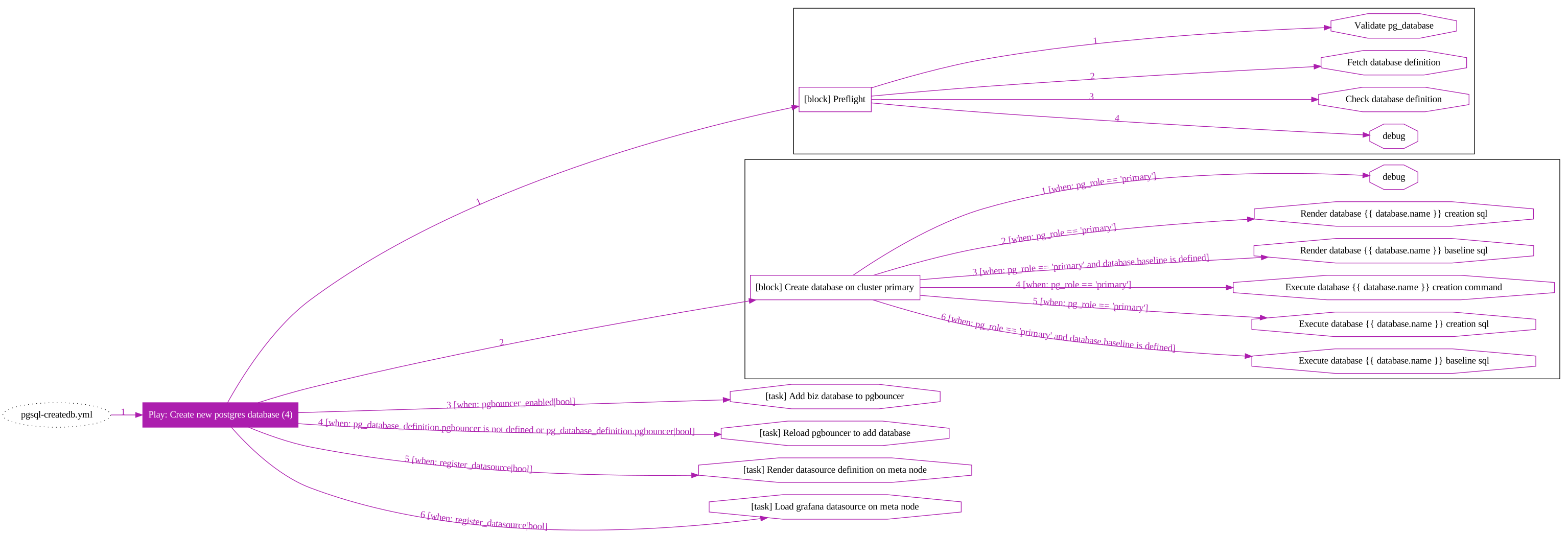
To ensure that, the author recommends creating a new database in an existing cluster via a playbook or scripting tool.
- The inventory is consistent with the actual situation.
- Pgbouncer connection pools are consistent with the database.
- The data sources registered in Grafana are consistent with the actual situation.
Daily management
Please refer to the section Database for the creation of the database.
Simplify commands using wrapper scripts:
pgsql-createuser
Create business users: Create a new user or modify an existing user in an existing cluster:pgsql-createuser.yml.
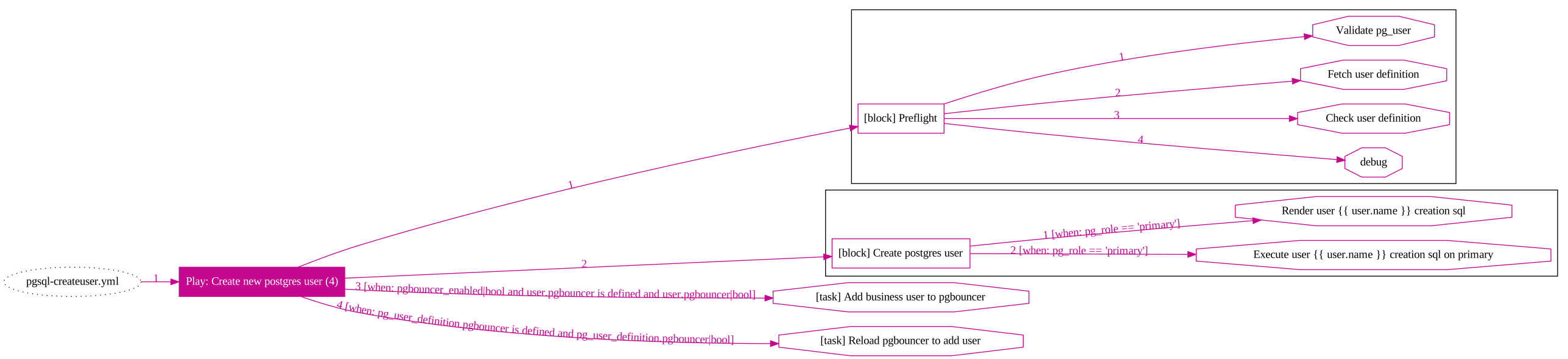
Daily management
Please refer to the section User for the creation of business users.
Simplify commands using wrapper scripts.
Note that the user-specified by pg_user must already be in the definition of the cluster pg_users. Otherwise, an error will be reported.
pgsql-monly
Dedicated playbook for performing monitoring deployments. See monly deployments for details.
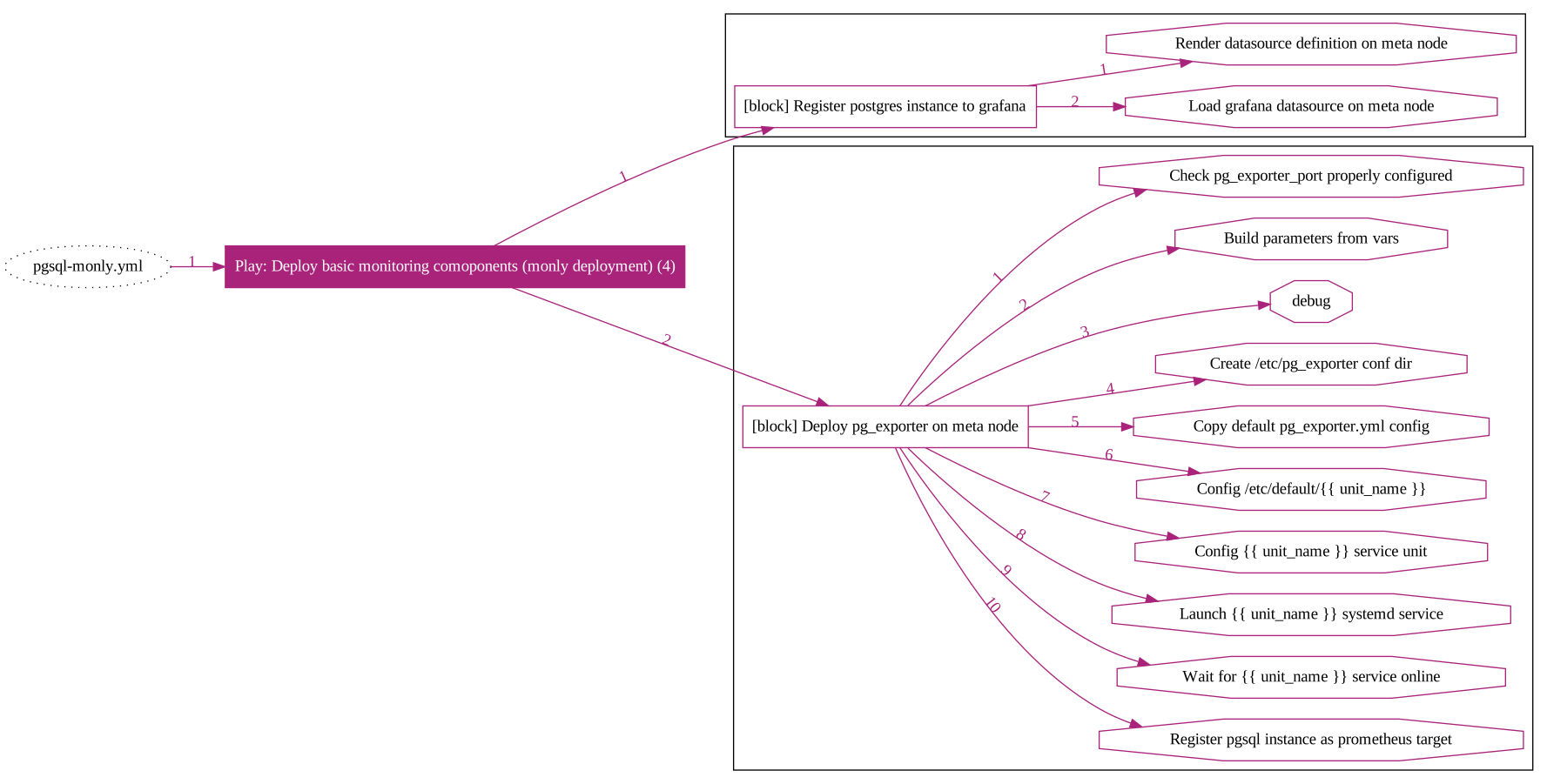
pgsql-matrixdb
Dedicated playbook for deploying MatrixDB. See Deploying MatrixDB Cluster for details.
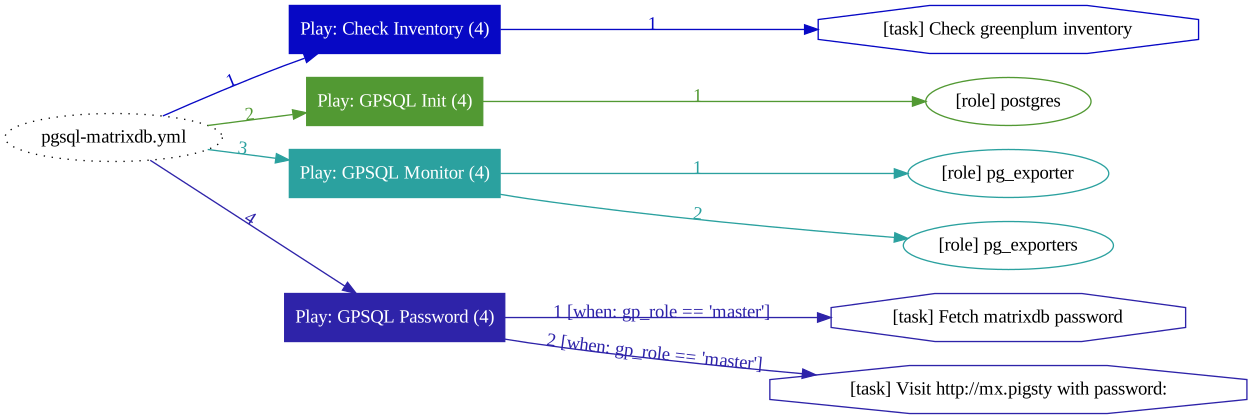
pgsql-migration
Playbook for automated database migration, still in Beta status. See database cluster migration for details.